30 Articles series for Apps development for SharePoint

With new release of SharePoint 2013, I guess every sharepointer can now endeavor to develop their own apps.

This post is an announcement to tell you that I am going to write a series of 30 articles for developing Apps for SharePoint.

The aim for this series is to help building Apps and here I will focus on some development and design issues of Apps for SharePoint.

I have no plans how I will arrange the series but if you want to join this journey then stay tuned. I only wish that we all have some fun, some learning and we end up creating some amazing Apps.

I will be picking interesting questions from twitter, Facebook page, emails and questions from Microsoft forums as well.

I am inviting you all to share your opinions and expertise on any relevant subjects so this series gets more interesting.

Let’s Begin then

Article – 1: An insight to Apps and App Model in SharePoint 2013

Understand what an App Model for SharePoint 2013 is.

Article – 2: Behind the scene : Configure App Domain for on-premise SharePoint 2013 development environment

Get ready with your development environment.

Article – 3: How to get an App from Office Store for on-premise SharePoint 2013 environment

get some free Apps from the official App store and have fun 😀

Article – 4: Understanding default template for SharePoint hosted Apps

Article – 5: Deploying an App to SharePoint 2013 and dealing with deployment issue aka preview bug.

Article – 6: Benefits of SharePoint 2013 App Model with an Entrepreneur’s eye

Article – 7: What is TypeScript? Shall I use it for SharePoint 2013 Apps?

Article – 8: Creating an App-Part for SharePoint 2013 Apps

Article – 9: Is it possible to create Mobile App for the SharePoint 2013 app web?

Article – 10: Creating an Custom Action for SharePoint 2013 Apps

Article – 11: Understanding default template for provider-hosted and Auto-hosted apps

Article – 12: How to use MVC web project for auto-hosted and provider-hosted SharePoint apps

Article – 13: How to use Chrome Control for SharePoint app

Article – 14: System account can not deploy or purchase an app in SharePoint 2013 RTM

Article – 15: Configuring Server to Server High Trust for provider hosted apps

Article – 16: Using Remote Receivers to handle app events

Article – 17: Using Remote Receivers to handle spappweb list/listItems events

Article – 18: Tenancies and app scope for SharePoint Apps

Article – 19: Understanding Cross Domain calls

Article – 20: Implementing Cross Domain calls

Article – 21: What can be included in SharePoint App?

Article – 22: Troubleshooting Provider-Hosted App

Article – 23: Troubleshooting High-Trust App

Article – 24: App permissions – I

Article – 25: App permissions – II

Article – 26: App authorization

Article – 27: updating an app

Article – 28: handling App Upgraded event

Article – 29: SPC14 summary on App Development

Article – 30: Licensing your app
App webs are not working with mobile/tablet browser

Problem:

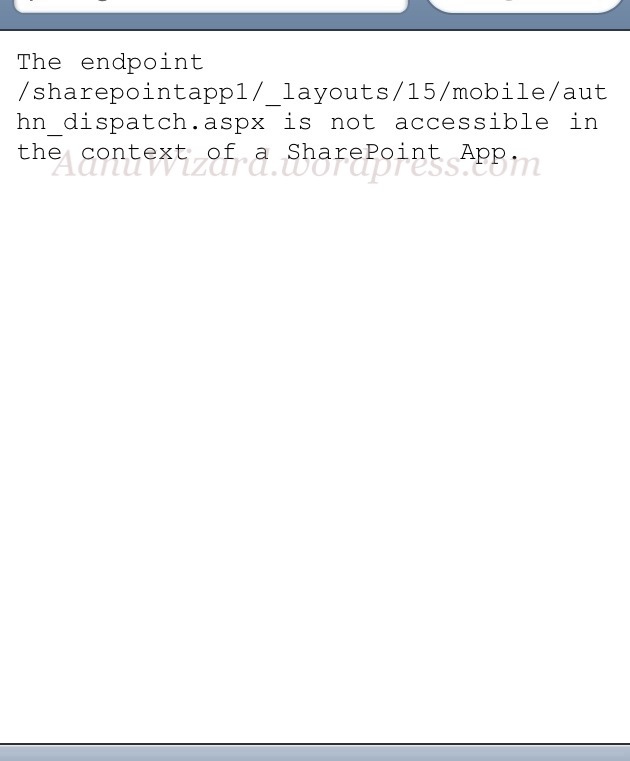
While trying to access appweb on mobile/tablet browser, I am getting a blank page with following error message:

[ Note : I am talking about app webs for SharePoint hosted apps for SharePoint 2013 and Office 365 -> SharePoint online;  I am not talking about office web apps just to clear the confusion. ]

The endpoint /sharepoint app1/_layouts/15/mobile/authn_dispatch.aspx is not accessible in the context of a sharepoint App.

20120912-112321.jpg

created a thread for this at http://social.msdn.microsoft.com/Forums/en-US/appsforsharepoint/thread/98ed1984-7748-41ff-bf04-387a15030168

Workaround

I did not figure out any workaround yet and don’t know whether there is any settings/way to get this working or this is by design?

I will update my findings once I get it sorted.

Please share your suggestion about this.

Update : [added on 13 sept 2012 00:58 AM]

It turns out that Mobile views are not supported for app webs for this *preview*; and so the problem is by design itself.

By turning on desktop view, I managed to work the app webs only with Android’s default browser.

No success with iOS even for desktop view.

I have not tested with Windows tablet yet but I guess it will work there..!!

According to Technet Article: Supported mobile device browsers in SharePoint 2013 Preview

Browsers supported by NAPA tools Office 365 preview

This is an initial Draft for my experience of NAPA (*preview *) tools with different browsers.

I have been using NAPA now and then since almost a month but only with IE9.

Today I decided to try out a few other browsers and below is the outcome for me.

IE (9.0.8112.16421): As I said, NAPA works like a charm….!! 🙂

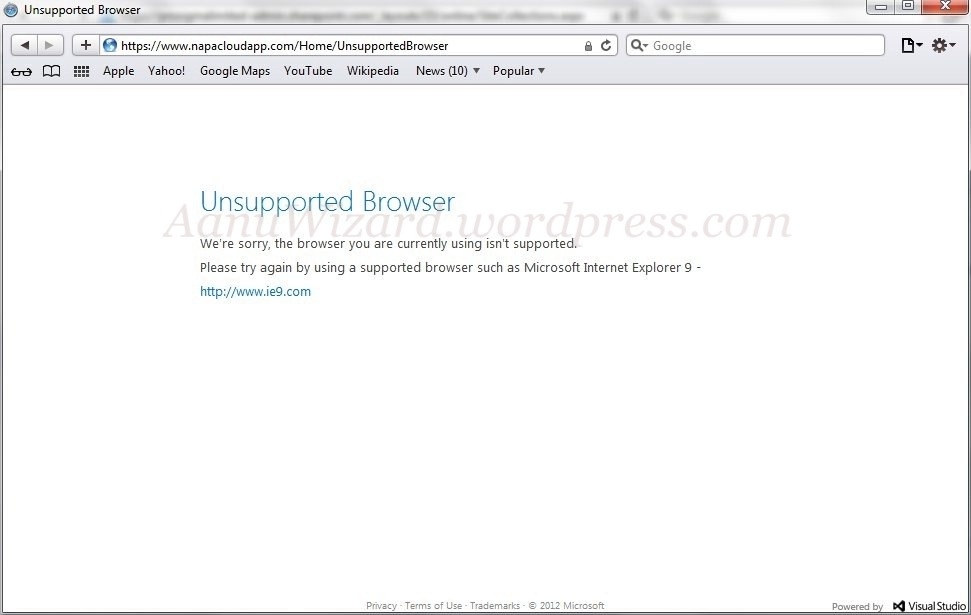
Safari (5.1.7) : Unsupported Browser error as following

on web –> Unsupported browser

on iPad -> Unsupported browser (expected ..!!)

NAPA is truly brilliant idea and execution !! I would just dream of using NAPA on my iPad  if it worked in safari ?? OR Do I have to buy windows 8 tablet for that ?? 😛

20120907-010341.jpg

Firefox  (14.0.1) :  very slow… a long pause with the below message & then my browser crash…!! [tried this scenario about 3-4 times including restart ]

So I guess there is a support for Firefox but something is not working properly..!!

20120907-010333.jpg

Chrome (21.0.1180.89) :  NAPA works fine here too..!!

Please share your experience and views on this.

P.S. There may be update(s) on more findings about other  & above browsers !!

================= UPDATE : (added on 11 Sept 2012) : START  ================

Firefox 15.0.1: NAPA tools works absolutely fine.

I still have Firefox 14.0.1 on my other machine  (I may try to find error message or any log file later for it ) ….  But upgrading to the latest version for any browser should be the best practice.

I see NAPA as an opportunity to develop *anywhere* if you got the supported browser and internet of course 😛

As Mark says (referring to the comments for this post) NAPA will work with Windows 8 ( tablet ? ) with IE10 which is great !! ( you can experience IE10 RTM with Windows 8 or with windows server 2012, it’s not available for direct access otherwise at the moment  )

As I remember Mozilla has rejected the idea of crafting a version of Firefox for the iOS ( iPhone/iPad ) long time ago; and NAPA *preview* does not support safari itself … so I guess no NAPA on iPad; But for Android there is a version of Firefox and so I guess NAPA should work there..!!

Even though I am not a big fan of Safari web browser, I think making it work in apple & android tablets (*Usability*) would be definitely worth it.

I am not sure it is designed to work with tablets but I will give a try with Windows 8 tablet (don’t have one yet ) & firefox on Android. So stay tune for next update 🙂

Oh and don’t miss the comments for this post.

================ UPDATE : (added on 11 Sept 2012) : END ================

I have created a thread at microsoft forum for this : http://social.msdn.microsoft.com/Forums/en-US/appsforsharepoint/thread/b71e2900-abc6-443f-9aa4-4580aa5c6b45 ; Please give your feedback there to help making the product better.