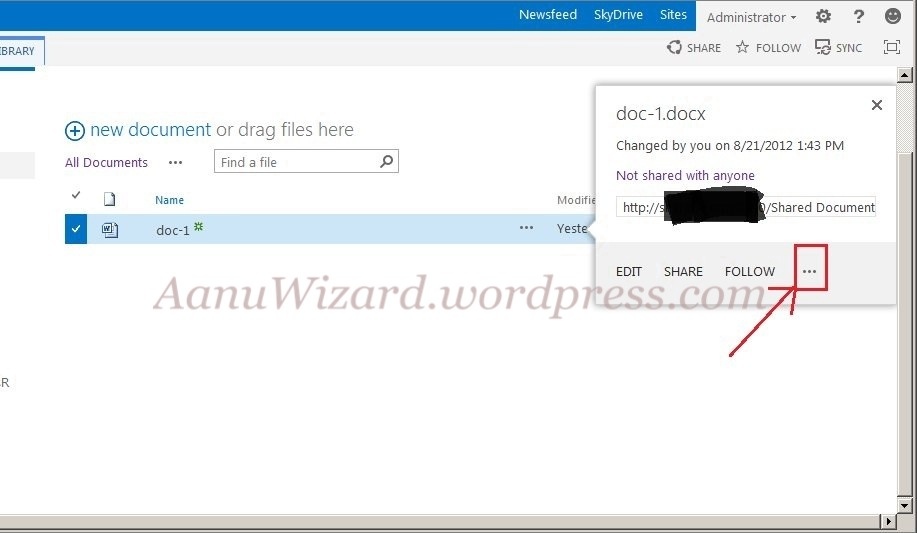
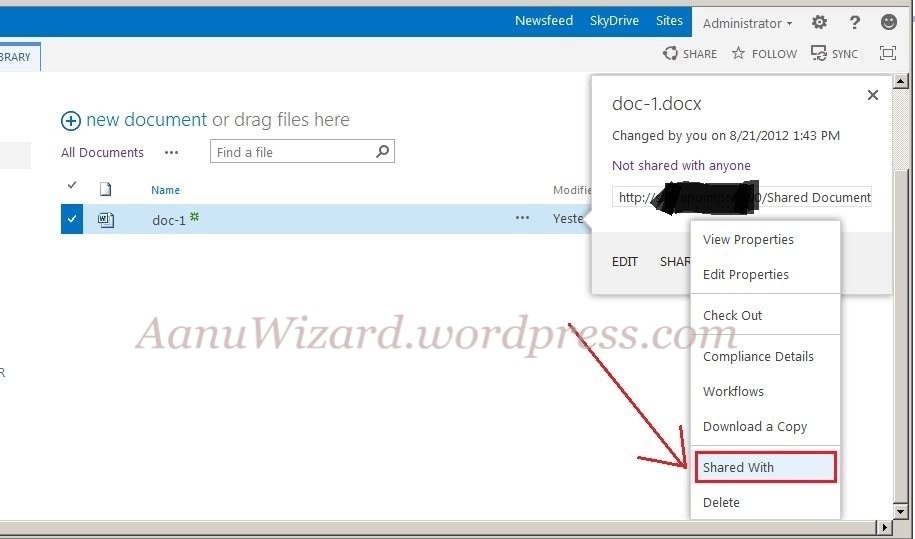
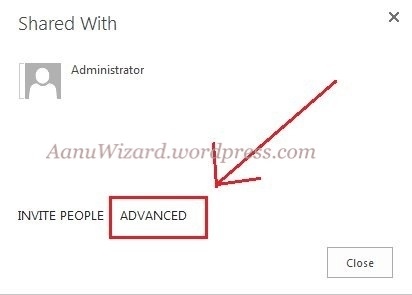
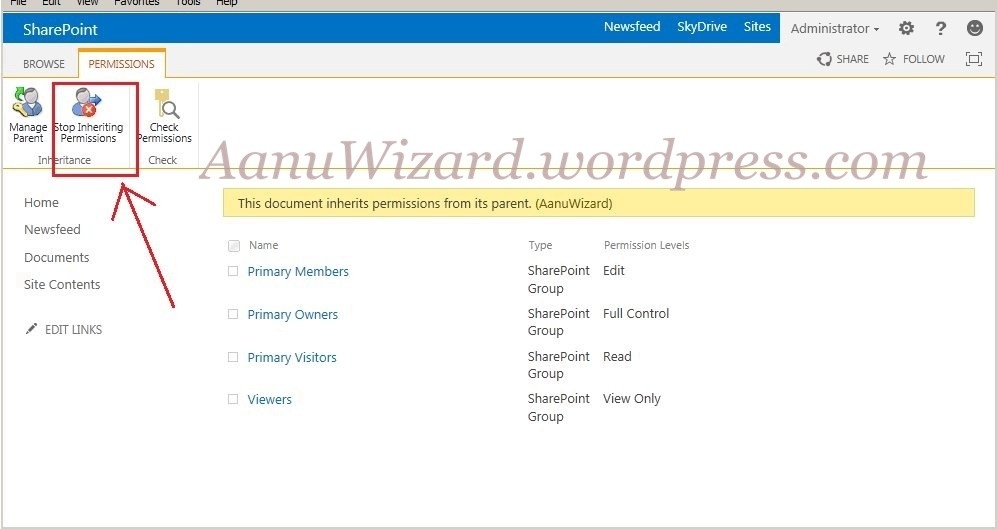
Setting up Item level permission for a list item or document in sharepoint 2013 Go to Document Library / List Select Individual item/document Click on “…” appears on the popup menu Choose “Shared with” Click “Advanced” option Click “stop inheriting “. Now delete or grant permissions as per your need. Done. Share this: Share on Facebook (Opens in new window) Facebook Share on LinkedIn (Opens in new window) LinkedIn Share on X (Opens in new window) X Email a link to a friend (Opens in new window) Email Share on Reddit (Opens in new window) Reddit Print (Opens in new window) Print Share on Tumblr (Opens in new window) Tumblr Share on Pinterest (Opens in new window) Pinterest Like Loading...


 aanuwizard.com