How to retrieve all Master pages for your site

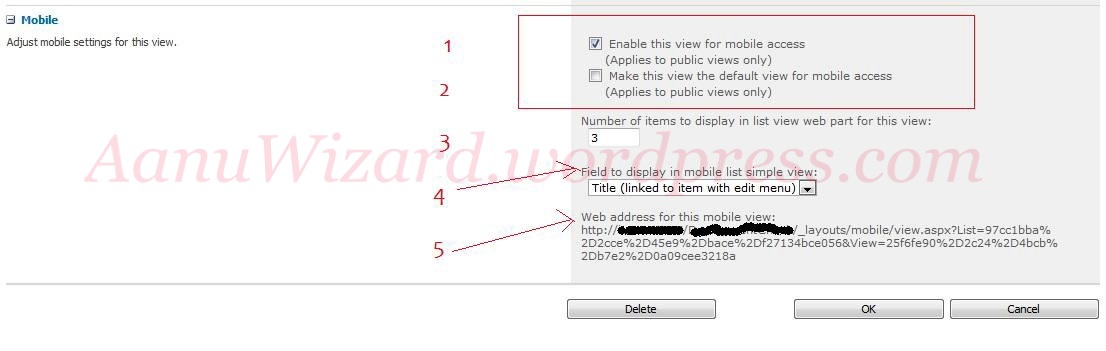
Master Page Gallery is a page library that holds all master pages for your site.

  • Get the Master Page Gallery.
  • Compare all items with the content type Id of “Master Page” content type id
  • 0x0101050038D0E9CC383A4C4B8647D37D80458A8A is content type id for master page.
  • All matching items are the master page.
SharePoint 2010: Mobile View :Part 1

How to create mobile view for sharepoint list/library:

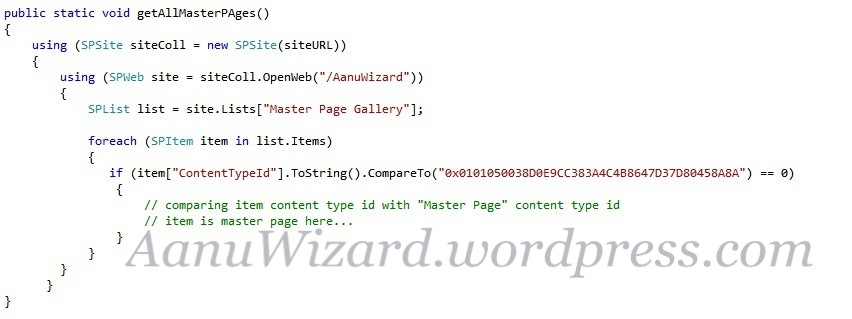
While creating/editiong normal view at the end in Mobile section,Check the checkbox (1) Enable this view for mobile access.

Here you can also choose other configuration like making it default mobile view (2),

How many items to display in one page (3) ,

Option to choose the field to display in simple view (4),

(5) in image is the url for mobile view.

How does it look on mobile :

Hope that helps…

SharePoint 2010: Branding : changing UIversion of SharePoint Site

changing UIversion from 4 to 3 will give a look and feel like SharePoint 2007 site.

changing it back to 4 will make Visual upgrade to SharePoint 2010 site.

You can change UIVersion using PowerShell:

 
$web = Get-SPWeb http://server/site/
$web.UIVersion = 3
$web.UIVersionConfigurationEnabled = $true
$web.Update()
 

You can also change UIVersion using feature receiver:

Hope that helps…