Why IIS AppPools show V4.0 for SharePoint 2013 running with .net framework V4.5

From the very first time when I was installing SharePoint 2013 Preview; I looked through the list of pre-requisites and knew that it must be using .net framework V4.5.
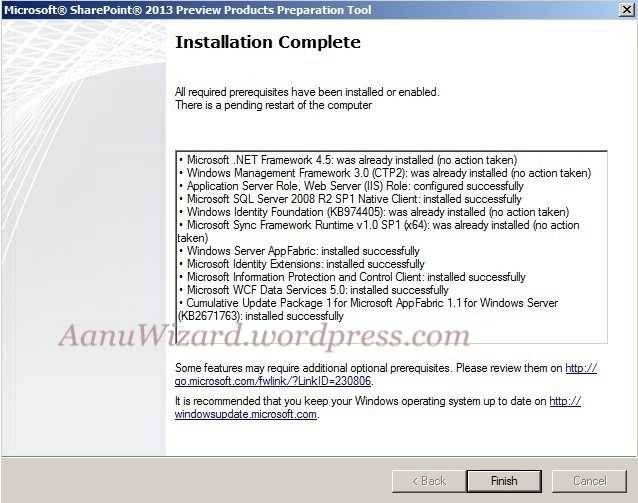
20120718-004016.jpg

My next check was the config file and it looked ok as well. To dig into this I had opened IIS and founded that the app pool is showing V4.0.

20120728-023912.jpg

There starts a point of confusion why IIS think that SharePoint is using V4.0 and not V4.5.

.NET versions are always been confusing. I had that feeling it was only in-place update for V4.5

The .NET Framework can version in two ways.

(1) Major Version – also called side by side installs

Two different major versions can live together on the same machine.

(2) Minor Version – also called “in-place upgrades”

Minor version means the CLR remains the same but new libraries , bug-fixes and/or some other improvements are added to main CLR.

Sadly .NET 4.5 is not a major version and so does not add different side-by-side CLR.

It will eventually use the same .net framework V4.0CLR and include some additional libraries and Bug fixes/some improvements as well. But it does not add new CLR. I believe new CLR should be the upcoming version.

Application build in which Framework Actually use which CLR Version IIS App Pool uses which CLR version
.net framework 2.0/3.0/3.5 CLR V2.0 V2.0
.net framework 4.0/4.5 CLR V4.0 V4.0

IIS  app pools know about CLR versions, not Framework and compiler versions, those are set by the application.

And that’s why even though SharePoint 2013 uses .net framework 4.5 the IIS detects the correct CLR version and creates App pool with CLRV4.0.

References for this Article :

http://blogs.msdn.com/b/dotnet/archive/2011/09/26/compatibility-of-net-framework-4-5.aspx

An insight to Apps and App Model in SharePoint 2013

This post is article-1 from the 30 Articles App series for SharePoint.

Finally Microsoft has provided the much awaited App-Store with this SharePoint Release. In this post, I will discuss about what’s available as developer tools/ what are the hosting/publishing options and basic idea for Apps in SharePoint 2013.

Apps in SharePoint :

‘Apps for SharePoint are self-contained pieces of functionality that extend the capabilities of a SharePoint website.’

In more technical words let say an app for SharePoint is a web application that is registered with SharePoint using an app manifest. It has all basic properties declared like starting host page, how much right this app will have to access SharePoint data etc.

Hosting options for Apps :

Note: Below image is taken from MSDN source

SharePoint Hosted Apps

When an App is hosted in SharePoint itself, there is a great degree of limitation on what you can use to build the application. This is still more than enough for most of the business requirements with new additional capabilities of Client object model.

When an app is launched to SharePoint it will create its own app web for its sharepoint artifacts. This gives a great flexibility and also when you delete an app, the app web gets deleted with it similar to the phone apps approach. This will ensure that there won’t be any zombie junk left on your farm once you delete the app.

What tools you can use for App development

CSOM /REST with HTML5/CSS/JAVAScript/Jquery/ASP.net AJAX, Silverlight

Any server-side code is a big NO for the apps hosted on SharePoint.

Cloud Hosted Apps

This option provides a great flexibility for developers with a wide range of development technology like ASP.Net , java, php , LAMP

For Auto-hosted apps SharePoint automatically deploys to Windows Azure Web Sites and SQL Azure.

For provider hosted Apps , deployment is done to any ISV Storage and ISV provider. Here you can choose any third-party hosting services or can run them on your on-premise dedicated servers.

Publishing options for Apps :

Once your app is ready you will have two option to publish it.

Office Store

In this case Microsoft will make a series of check on your app package to ensure it does not contain any objectionable content. Once it passes all the test it will be available on office store.

App Catalog

Publish it on app catalog on SharePoint online or on-premise SharePoint; This is a scenario you will choose if your app is for your company or for specific corporate client.

 My First App :

20120723-012324.jpg

20120723-012334.jpg